Omnissa Horizon (VDI) Installation Steps
- Go to vdi.unoh.edu
- Select Install Omnissa Horizon Client
- Click Go To Downloads next to Omnissa Horizon Windows Client
- Now you will be able to download it by clicking on the Download Now button in the bottom right
- Once downloaded, open the installer application
- Follow the installer prompts
- Restart computer
- Open Omnissa Horizon Client
- After you open the Horizon Client, you will click + Add Server
- The name of the server is vdi.unoh.edu
- Sign in with your UNOH email address and password.
- Double click the Windows 11 option to open a Windows 11 instance in Omnissa Horizon.
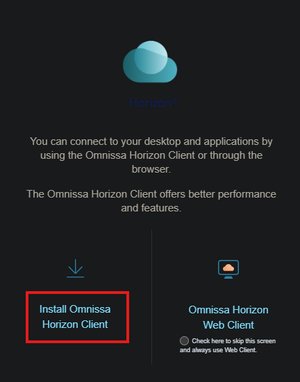 Go to vdi.unoh.edu. Select Install Omnissa Horizon Client. -
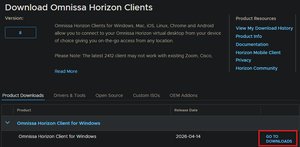 Click Go To Downloads next to Omnissa Horizon Windows Client. -
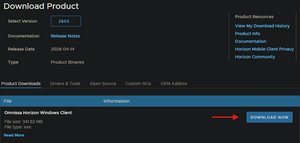 Now you will be able to download it by clicking on the Download button in the bottom right. -
 After you open the Horizon Client, you will select “Add Server.” The name of the server is vdi.unoh.edu -
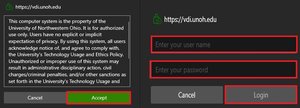 Sign in with your UNOH email address and password. -
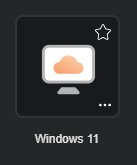 Double click the Windows 11 option to open a Windows 11 instance in Omnissa Horizon. -